Atomic, one-way OneDrive mirroring
for your external drives.
OneSync creates a cryptographic, bit-perfect replica of your cloud files directly to external APFS or exFAT storage. Zero cloud deletion risks, drive-portable SQLite state, and native Apple Silicon acceleration.
Product Showcase
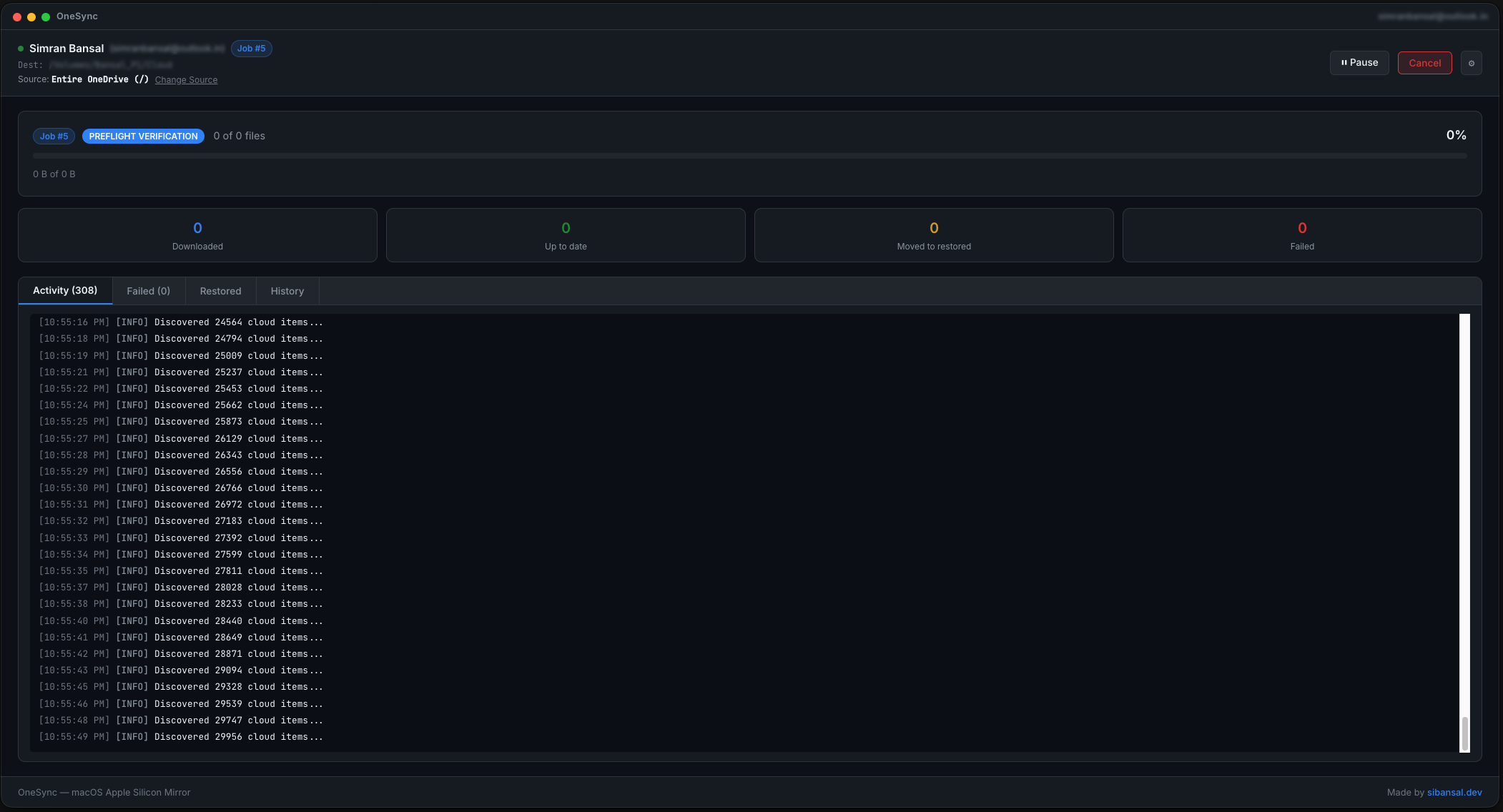
Designed with a sleek dark aesthetic, native macOS ergonomics, real-time logging, and transparent state auditing.
Engineered for Absolute Data Safety
Built from the ground up to solve cloud-mirroring hazards and protect your critical files.
Strict One-Way Mirror
Only requests read-only Graph API scopes (Files.Read, User.Read). The engine mathematically cannot upload, mutate, or delete a single byte in your cloud OneDrive.
Safe Restored Vault
Local disk files are never eradicated. If a file was deleted in the cloud or modified locally, OneSync safely quarantines it to restored/ with timestamped preservation.
Atomic & Resumable Downloads
Downloads stream into isolated .onesync/tmp/*.part buffers and are verified using cryptographic hashes before atomic promotion. Interrupted downloads resume via HTTP Range requests.
Drive-Portable SQLite Index
The entire state database lives in .onesync/state.db directly on your external volume. Plug the drive into another Mac and your sync history and delta tracking resume immediately.
External Volume Guardian
Before initiating a job, OneSync enforces strict checks verifying that the destination is mounted on an external disk under /Volumes/ with a distinctive filesystem ID, saving your Mac SSD.
macOS Keychain Security
Session tokens are protected using Electron's hardened safeStorage encryption tied to the macOS Keychain. Zero plain-text credentials stored on disk.
How Synchronization Executes
Predictable 5-stage pipeline designed for multi-gigabyte files and deep directory trees.
Preflight Verification
Validates target path device ID, verifies external mount point, ensures write permissions, and initializes the local SQLite schema.
Remote & Local Delta Discovery
Recursively traverses remote OneDrive delta endpoints alongside the local disk index to detect new, modified, and removed files.
Pure Synchronization Planning
A pure deterministic planning function compares item hashes and timestamps, generating explicit download, skip, or restore-move actions.
Parallel Transfer & Stream Hashing
A bounded concurrency worker pool streams downloads to temporary files while computing on-the-fly hashes with backoff retry handling.
Atomic Swap & Transaction Commit
Files are atomically renamed to their destination path, file metadata is written into SQLite, and UI counters update in real time.
Safeguard Your Cloud Data Today
Free, open source, and built specifically for macOS Apple Silicon. Keep a dependable offline replica of your cloud without risk.